
The essentials
If you run a shop, you may already use a POS system to record sales and manage products. e-Invoice adds another thing to consider: how transaction information is prepared and processed under Malaysia's e-Invoice framework.
Some POS products include e-Invoice-related features; others may need a separate portal or extra steps. The important thing is to check what the system actually does before you pay for it.
What Is e-Invoice in Malaysia?
An e-Invoice is a digital record of a transaction between a supplier and a buyer. HASiL's e-Invoice framework uses structured transaction data and validation through the MyInvois system.
A printed receipt or a PDF invoice is not automatically the same as a validated e-Invoice. The document's format alone does not confirm that the required process has been completed.
Rules can vary by taxpayer and transaction. Check the latest HASiL e-Invoice information for the requirements that apply to your business.
What Is an E-Invoice POS System?
A point-of-sale (POS) system records sales and supports checkout. Depending on the product, it may also manage stock, payments and sales reports.
An e-Invoice-enabled POS adds features that support some part of the e-Invoice process. That could mean preparing invoice data, connecting to another service or helping staff check a submission result. The exact setup differs between providers.
How Does the Workflow Work?
The steps depend on the software, but a typical process may look like this:
Record the sale
The cashier enters or scans the items and records the transaction in the POS.
Check the details
The required supplier, buyer and transaction information is collected or reviewed.
Submit the data
The software uses its supported integration or a separate process to submit the information.
Review the result
Staff check the status and follow up if information needs to be corrected.
A connected workflow may reduce repeated data entry. It still depends on correct information, the software's functions and the process your business must follow.
What Are the Benefits?
Sales records in one place
A POS can make it easier to search for a transaction and review sales from a particular day. This helps when staff need to check details later.
Less repeated entry, where supported
If the POS and e-Invoice workflow are connected, some information may transfer between steps instead of being entered twice. Ask the provider to demonstrate this.
Stock and sales visibility
POS systems with inventory features can connect sales activity with stock records. The available reports and stock functions depend on the product you choose.

Features to Compare Before You Choose
Use this checklist when you speak to a POS provider. You do not need every feature; focus on the ones that match your business.
E-Invoice POS checklist
- MyInvois workflow: Is there a direct integration, a connector or a separate portal step?
- Invoice details: Can the system capture the information your transactions require?
- Status and errors: Can staff check results and understand what needs fixing?
- POS basics: Does it cover checkout, product records, stock and sales reports?
- Access and records: Can you control staff access and find past transactions?
- Costs and support: Are setup, subscription, hardware, integration and support fees clear?
Ask for a demonstration using a real example from your shop. Have the provider show the sale, the e-Invoice steps, the status screen and how errors are handled.
Malaysia's e-Invoice Requirements
Before buying software, check whether e-Invoice implementation applies to your business and which rules cover your situation.
HASiL's current implementation timeline states that taxpayers with annual sales or revenue below RM3 million are exempt from e-Invoice implementation. The timeline page includes an update dated 30 August 2026. Check the latest conditions before relying on the threshold for your own business.
What About MyInvois e-POS?
MyInvois e-POS is a separate POS platform provided by HASiL. Its listed functions include sales management, inventory, reporting and e-Invoice issuance for eligible businesses.
It is not automatically the same as a commercial POS that advertises e-Invoice support. Compare the available functions and eligibility details on the official MyInvois e-POS website before deciding which option suits you.
How to Prepare Your Business
- Check the rules. Read the latest HASiL guidance for your business.
- Review your current process. See how you record sales, invoices and customer details today.
- Clean up your records. Check product details and other information used in transactions.
- Compare providers. Ask each provider to demonstrate the actual e-Invoice workflow.
- Train your staff. Make sure the people handling sales and records know what to do.
- Test first. Try normal transactions and ask how missing details or errors are handled.
Frequently Asked Questions
What is an e-Invoice POS system in Malaysia?
It is a POS solution with features that support part of the Malaysian e-Invoice workflow. What it can do depends on the software and its integration.
Is a normal POS system enough for e-Invoice?
Not always. A normal POS may record sales without supporting e-Invoice preparation or submission. Check your system's functions and any extra steps required.
Does every POS system automatically submit e-Invoices to MyInvois?
No. Confirm the submission method with the provider, including how status updates and errors are handled.
What is the difference between MyInvois and a POS system?
MyInvois is part of HASiL's e-Invoice framework. A POS system handles sales operations and may connect to the framework. MyInvois e-POS is a separate platform provided by HASiL.
Are businesses with annual revenue below RM3 million exempt?
HASiL's current timeline states that taxpayers with annual sales or revenue below RM3 million are exempt. Check the latest official guidelines and eligibility conditions before making a compliance decision.
What should I compare when choosing an e-Invoice POS?
Check the MyInvois workflow, required data, status and error handling, POS features, record access, total cost and customer support.
How much does an e-Invoice POS system cost in Malaysia?
Costs vary by provider, hardware, subscription and integration. Ask for a quotation that lists setup, software, hardware and any extra charges separately.
Final Thoughts
Before choosing an e-Invoice POS system in Malaysia, make sure it fits the way your business works and that you understand its e-Invoice process. Compare the features, ask for a demonstration and check the latest HASiL guidance.
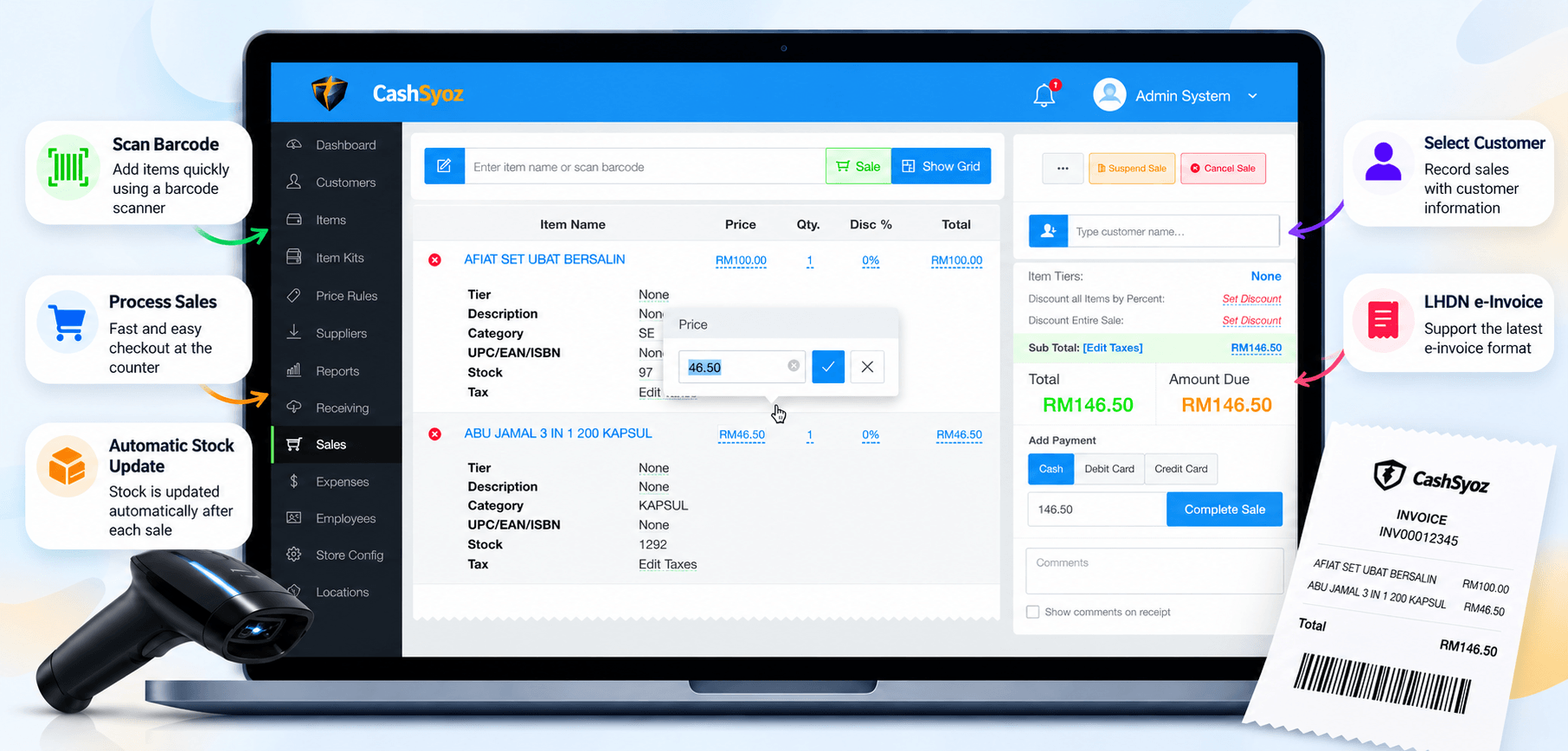
CashSyoz can be one of the POS options you review. Compare its available features with your checkout, sales and inventory needs, and confirm the specific functions included in the solution you are considering.
Looking for a POS solution for your business?
Explore CashSyoz and compare its POS workflow with the everyday needs of your business.
Explore CashSyoz ↗